Step-by-step photos
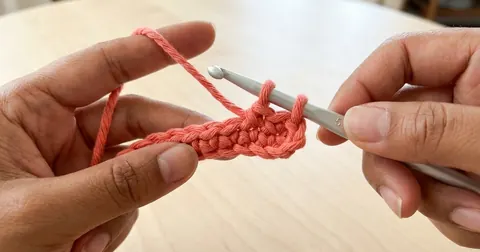
Each stitch is broken into small steps, with close-up photos and a few clear sentences. Swipe or tap Next.
From zero to a finished scarf
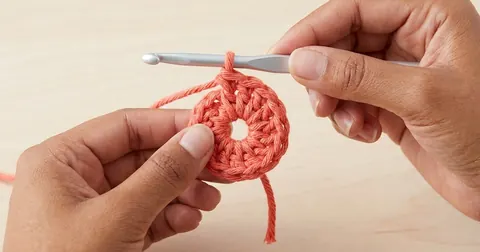
21 lessons in six units: tools, chains, the five basic stitches, increases and decreases, rounds and the magic ring, colour changes and finishing.
US or UK terms
Choose your terms once and every lesson, tip and table follows. Reading a UK pattern? Switch in a tap.
Left-handed mode
Flip every step photo so it matches the hand that holds your hook.
Fix it, then practise
Each lesson ends with the usual mistakes and how to fix them, a short practice and a quick self-check.
Tools at hand
Stitch names and chart symbols, abbreviations, turning chains, hook sizes and yarn weights.
Your progress stays on your phone
Learn Crochet Step by Step has no account and asks for no permissions. The lessons you finish are saved on your phone only. The app is free with ads from Google AdMob.
Crochet guides
Clear, tested guides for new crocheters: hooks, terms and the first stitches.
- Crochet hook sizes chart: mm, US and UK
A crochet hook size chart with millimetres, US letters and old UK numbers, the usual hook for each yarn weight, and which hook a beginner should buy first.
- How to make a magic ring in crochet
Step-by-step instructions for the crochet magic ring, how to close it so it stays shut, an easier alternative, and fixes for the usual problems.
- How to crochet for beginners: your first steps
Everything to start crochet: which hook and yarn to buy, how to hold them, the slip knot, chain and single crochet, working in rows, and an easy first project.
Questions
Is Learn Crochet Step by Step free?
Yes, every lesson is free and there is no account. It shows a banner on the course and tools pages, and now and then a full-screen ad after you mark a lesson as done, never in the middle of a step.
I've never crocheted. Where do I start?
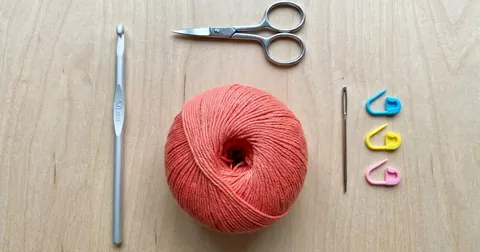
Lesson 1 tells you which hook and yarn to buy (a 5 mm hook and smooth, light-coloured weight 4 yarn). Then go in order: slip knot, chain, single crochet, rows. Each lesson takes 3 to 10 minutes.
Does it teach US or UK terms?
Both. Pick US or UK terms when you start, or later in Settings, and every lesson changes the stitch names. The Tools tab has the full US and UK conversion table.
I'm left-handed. Does it work for me?
Yes. Turn on Left-handed and every step photo is flipped, so the hook is in the same hand as yours.
Does it work without internet?
Yes. All lessons and photos are in the app. Only the ads need a connection.
What can I make after the course?
The course ends with a dishcloth, a round coaster and a chunky scarf. For more patterns to follow row by row, our sister app Loop & Hook has hundreds.
Which phones and languages does it support?
Android 8.0 or newer, phones and tablets. The app is in English, Spanish and Portuguese.